

Looks like we eventually got a teen tiny bit of big screen fame with one of our #F1 stock clips appearing in #F1TheMovie. Whoever put it there - well done and thanks a lot!
Even though an old one, but it fits nicely!
Looks like we eventually got a teen tiny bit of big screen fame with one of our #F1 stock clips appearing in #F1TheMovie. Whoever put it there - well done and thanks a lot!
Even though an old one, but it fits nicely!
Advantages include:
- per shape adjustments
- no additional modifier required
- only edited vertices are affected
- reduced loss of volume
- respects changes in local scale
- fully integrated workflow
#SHAPES #Blender #b3d #Blender3D #rigging #rigtip #character #3danimation
#SHAPES for #Blender: Quick Tip 18
A highly valuable tool to help with creating smooth, consistent shape keys, avoiding bad deformation. Similar to Smooth Corrective modifier but with various advantages (next post)!
#b3d #Blender3D #rigging #rigtip #character #3danimation
#SHAPES for #Blender: Quick Tip 17
Splitting complex sculpted expressions into any number of shape keys is a crucial step in many production pipelines. The Influence Map feature makes this process easy and reliable!
#b3d #Blender3D #rigging #rigtip #character #3danimation
The new version of #RBF Nodes supports constraints or otherwise driven objects and bones, works with linked scenes, and provides better interpolation options. But because of a different data structure older setups are not compatible.
#b3d #Blender3D #rigging #rigtip #character #3danimation
Direct comparison between skin only and four RBF controlled shape-keys. Not meant to be a perfect result but merely how far one can get with four shapes. Of course the actual motion would involve more bones.
#b3d #Blender3D #rigging #rigtip #character #3danimation
#SHAPES for #Blender: Quick Tip 16
Full shape-key based support for #RBF Nodes. The wish for a high-level editor has been expressed early on, including mirroring of RBF setups. Create, edit, refine. All in one tool! (Result in next post)
#b3d #Blender3D #rigging #rigtip #character #3danimation

Our #addons for #blender3d are ready for Blender 5. Everything has been updated and polished.
And the release of #SHAPES is getting closer!
tinyurl.com/59mp4arx
#b3d #rigtip #3d
Not sure yet. It’s currently in testing. A first release is always loaded with surprises. Trying to get as much feedback as possible.
27.10.2025 20:51 — 👍 1 🔁 0 💬 0 📌 0
Very happy with #RBF and #SHAPES performance.
- 4 Solvers
- 96 shapes (about 500 verts each)
- Mesh > 17k verts
Runs with over 40fps (mind screen recording).
If hiding all editors/panels it matches target of 60 fps.
Test system: Mac Studio M4 Max.
#b3d #Blender3D #rigging
#SHAPES for #Blender: Quick Tip 15
Edit Propagation for Combos saves time by automatically applying edits from driver shapes to all related combo targets, even split shapes, minimizing the need for manual follow-up fixes.
#b3d #Blender3D #rigging #rigtip #character #3danimation
Thank you. If this something for you, be sure to check the past posts and also updating videos. It should give you a good overview.
17.10.2025 22:02 — 👍 1 🔁 0 💬 0 📌 0Yes, it’s currently in development beta and it’s a whole lot more than just drivers. SHAPES has been around for Maya for over 10 years and is used by many studios of all sizes for shape keys and more. And now it’s time to bring it to blender.
17.10.2025 21:43 — 👍 0 🔁 0 💬 1 📌 0
#SHAPES for #Blender: Quick Tip 14
Combination shapes are a solid and fast solution to fix deformation issues when two or more active shapes interact. SHAPES provides a solid workflow for creating and managing combos.
#b3d #Blender3D #rigging #rigtip #character #3danimation
Had a great chat with the Purple Puppet team purplepuppet.com about the upcoming #SHAPES shape-key editor for #blender3d today. Thanks for the great feedback.
SHAPES is currently in beta and looking incredible! #b3d #rigging #character #3danimation
#SHAPES for #Blender3d: Quick Tip 13
Easily overlooked: Blend Preview! Shape keys aren’t just about shape, but also about motion. A shape may look fine, but animation can show bad vertex movement. Repeated tweaks/checks are required 'til the deformation is final.
#b3d #rigtip #3danimation
Oh, yes it will be!
15.09.2025 13:09 — 👍 0 🔁 0 💬 0 📌 0Since I’m still working on it it’s not yet available. But if you got through Gumroad you’ll be notified when it’s out.
15.09.2025 07:41 — 👍 0 🔁 0 💬 0 📌 0
(2/2)… all related shape keys. This means that with a click of a button you get a comple and mirrored setup. This is especially helpful if you have quite some poses attached to your RBF.
Dots this answer your question?
If i understand correctly this is exactly what happens here. The RBF setup, driven by a constrained pose bone and the driving shape keys, gets mirrored across. This creates a mirrored RBF Nodes group, mirrors all driver poses, references the opposite pose bone, and creates… (1/2)
15.09.2025 05:54 — 👍 1 🔁 0 💬 1 📌 0
🔥📣Just finished:
- Full integration of #RBFNodes into SHAPES for #Blender3d
- RBFNodes working with constraints.
- Mirroring of a complete RBFNodes setup with all shape keys.
- RBFNodes working with only two poses.
Thanks for sharing!
#b3d #blender #rigging #animation
Thanks for the shout out!
And it will even get better because the upcoming version supports constrained driver objects and and scene linking. This will be a huge step forward!

My Landing Gear Rigging Tutorial is out now! 🚨
If you'd like to learn five rigging concepts in one video, you better watch this one 🦾
Wether it's IKs, springs or pistons, this includes all of them 😉
▶️ Watch it here: youtu.be/AJmtljO4iXM
#SHAPES for #Blender: Quick Tip 12
Easily remove partial shape key data to clean up shapes or remove unwanted influences. Makes use of selecting vertices which are affected by the shape key.
#b3d #Blender3D #rigging #rigtip #character #3danimation
Thanks mate!
02.08.2025 20:21 — 👍 0 🔁 0 💬 0 📌 0
Breakdown for the explainer animation for HANGAR A Express Delivery Network!
We simplified a complex logistics system into a clean, punchy animation.
We had a fun time bringing this one to life! Final video: vimeo.com/1091857254
#Explainer #Animation #3D #Logistics #DeliveryNetwork #MotionDesign
That was the initial teaser.
31.07.2025 15:28 — 👍 1 🔁 0 💬 0 📌 0
#SHAPES for #Blender: Quick Tip 11
Filter by Value is a highly useful and powerful, yet underrated feature. You can easily filter either partial or full values. This helps to find currently active channels when dealing with large rigs.
#b3d #Blender3D #rigging #rigtip
Thanks! Yes, I will check definitely.
25.07.2025 20:32 — 👍 1 🔁 0 💬 1 📌 0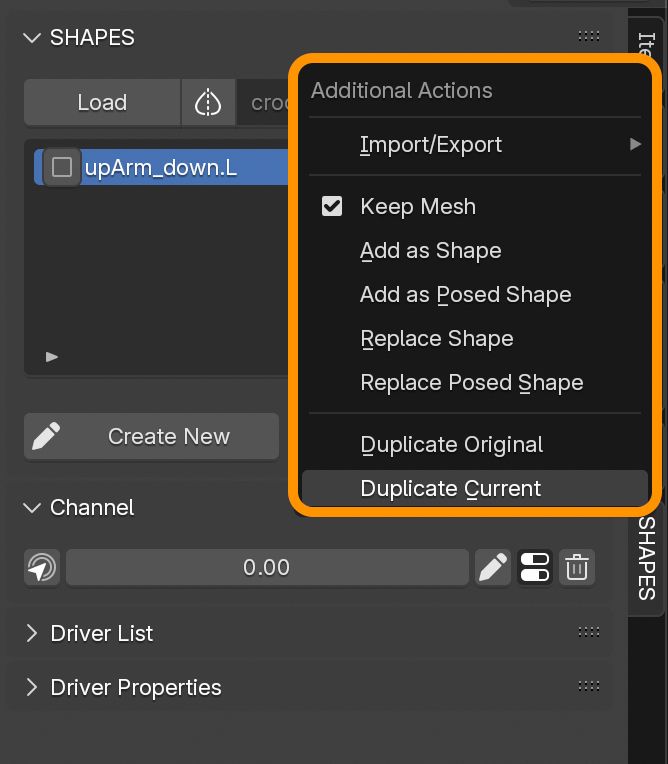
Making some good progress with the core functions of #SHAPES for #Blender
Doesn't look like much but these pretty important for many workflows.
#b3d #Blender3D #rigtip #animation #rigging


