
Thank you! i totally agree, one has to adore that cat 💜
07.06.2025 06:52 — 👍 1 🔁 0 💬 0 📌 0Thank you! i totally agree, one has to adore that cat 💜
07.06.2025 06:52 — 👍 1 🔁 0 💬 0 📌 0Thanks, i will tell him :)
22.05.2025 08:09 — 👍 1 🔁 0 💬 0 📌 0
Our new intern just completed his first animation task: Animating Eyeperson!
What do you think? Did he well?
#3DAnimation #Animation #indiedev #indiegame #3dplatformer #metroidvania #actionadventure #blender3d #b3d #3dmodelling #unrealengine #lvlmad #umbraslight
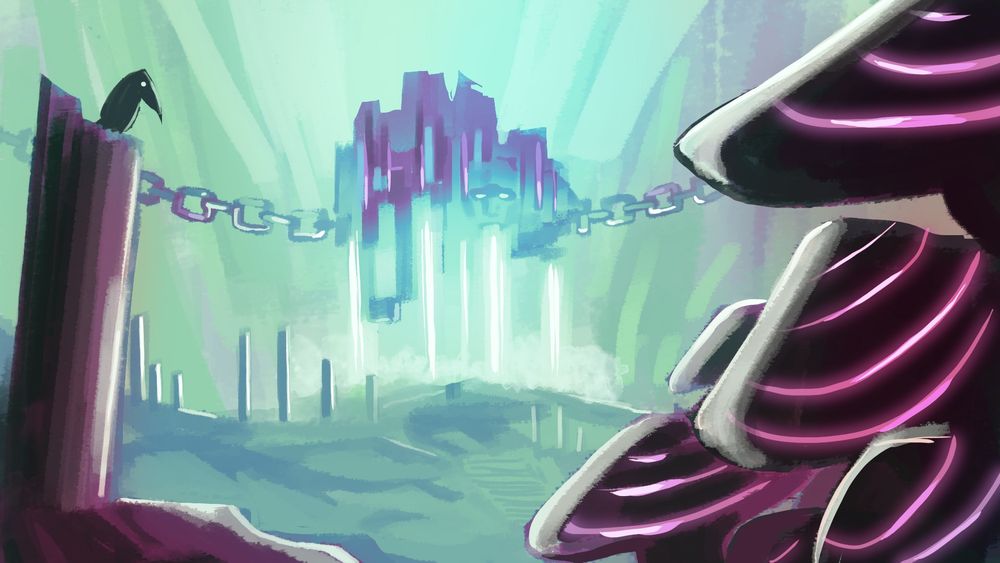
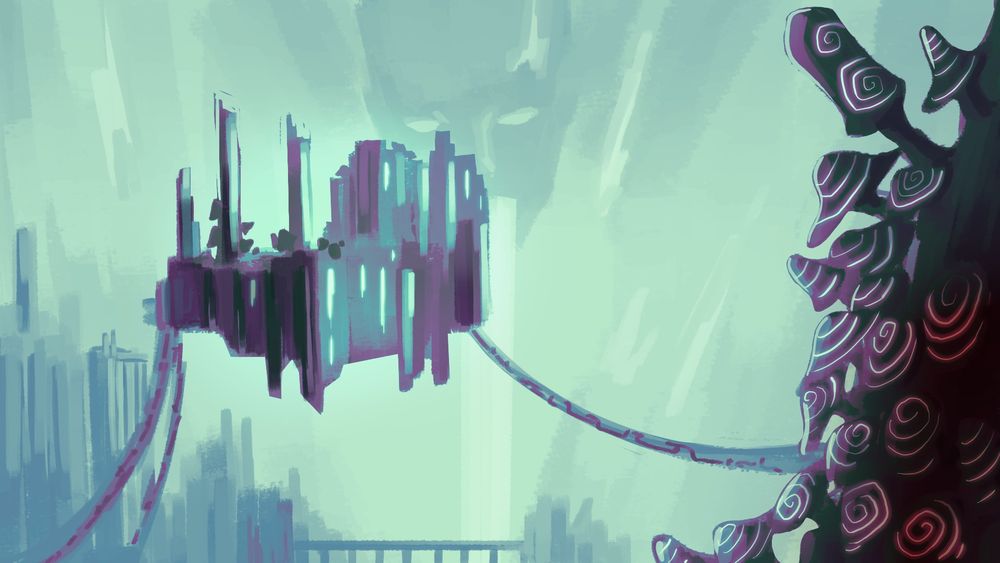
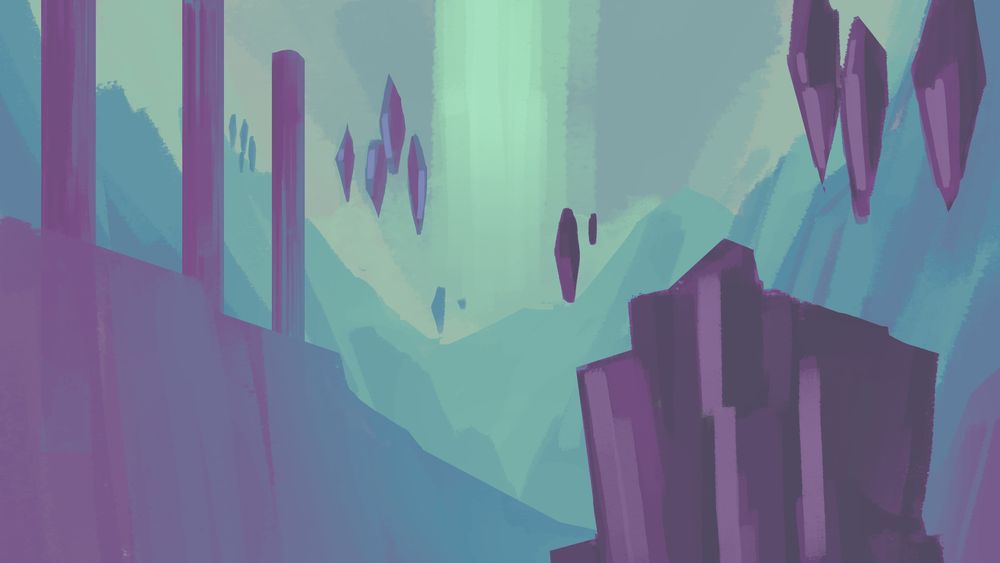
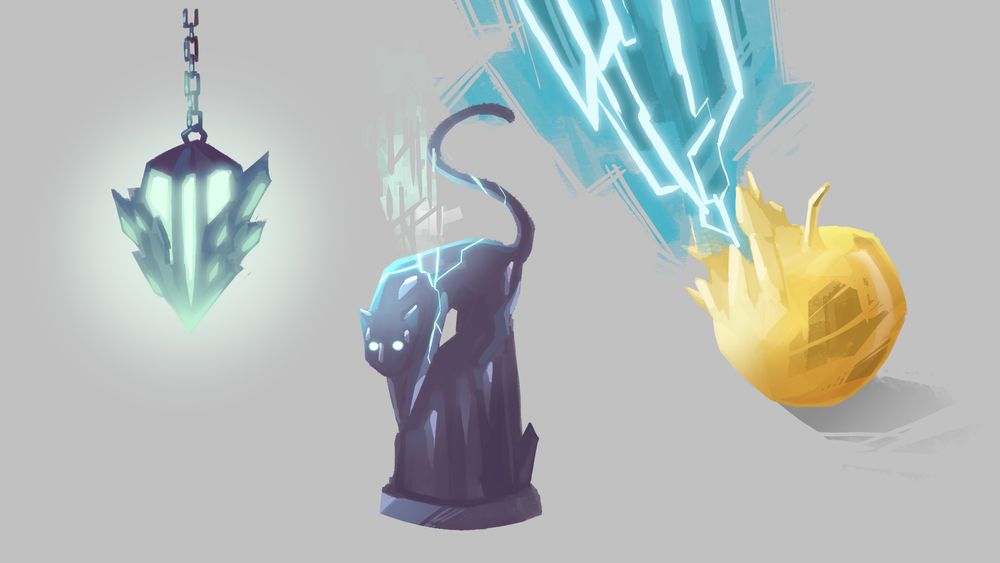
Liminal Caves - Concept Art
Deep beneath the new roots of modern civilisation lie the remnants of the past. Filled with long-lost, eons-old powers. Whispers of what once was, harbingers of what might come.
#indiedev #indiegame #gamedevelopment #gameart #conceptart #3dplatformer #metroidvania
Can you see her?
Just a small animation doodle we made from the latest concept art of our main character Luce.
Hope you like it!
#indiedev #indiegame #3dplatformer #metroidvania #actionadventure #conceptart #lvlmad #umbraslight
Thank you 💜
14.04.2025 11:17 — 👍 0 🔁 0 💬 0 📌 0
In case you ever wondered
#code #codinglife #devlife #indiedev #indiegame #3dplatformer #metroidvania #actionadventure #blender3d #b3d #3dmodelling #unrealengine #lvlmad #umbraslight
Well it will take some time until we are there. But that is our big dream.
#indiedev #indiegame #gamedevelopment #3dplatformer #metroidvania #actionadventure #platformer #soulslike #lvlmad #umbraslight


Today I finished this more humanoid NPC. She's a wind spirit but she's been wearing a mushroom hat for so long that its spores have started to grow into more mushrooms all over her upper body.
#gamedev #indiedev #blender
The pause button is all-knowing 😂
19.03.2025 16:40 — 👍 1 🔁 0 💬 0 📌 0


Hey Bluesky, it's another #wishlistwednesday
Check out my indie dinosaur-survival-horror game, Paleophage, on Steam (link in bio).
🦖😱🎮
Also coming to PS5.
#dinosaurs #survivalhorror #indiegame #indiedev #gamedev


The journey from these rough concepts to the current visuals of #ArisingSons village has been incredible. We’re excited to share more with you soon!
___
🌊 Marinix Discord:
discord.gg/GUNFfCgjBt
.
.
#IndieGame #IndieDev #GameDevelopment #IndieGames #GameDev #IndieGameDev #GameDesign #GamedevLife
It would be criminal not to do so
19.03.2025 16:13 — 👍 1 🔁 0 💬 1 📌 0
Should we add this SFX to the game? 🤔
#UnrealEngine #Meme #Gameplay #Indiegame #Gamedev #Steam
New day, new Basilisk...
Or some Concept Art for our Basilisik Enemy Designs!
Art by our talented Concept Basilisk @letharts_ (Instagram)
#basilisk #creatureart #monsterart #indiegame #gamedevelopment #gameart #conceptart #3dplatformer #metroidvania #umbraslight
This is the 3D platformer I'm working on.
However I am trying to make it look 2D whenever you're not moving.
#gamedev #indiedev #ue5
Testing 'volume boost' pedal buff. Giantess Gigi!
#DoubleWhammyGame #indiegame #gamedev #guitar #ue5 #giantess
The Blocklings now have friend/foe logic, react to being attacked and make some random mistakes, such as forgetting being chased by a green block.
#indiedev #indiegame #gamedevelopment #unrealengine #ue5 #3dplatformer #coding #npc #umbraslight #lvlmad

We have contracted some immortal spirits to create a poll about the future direction of our game. It would mean the world to us if you could spare a few minutes and answer our questions.
Here is the link to the survey: forms.gle/S4XvAegkAfPo...
Thank you very much! 💜
#gamedev #indiedev
Umbra's Light Concept Art: "The Frozen Outskirts"
Echoes of long fallen warriors haunt this land. Clinging to faded glory that will never return, as time devours itself struggling against the inevitable.
#indiegame #gamedevelopment #gameart #conceptart #3dplatformer #metroidvania #umbraslight


Our first concept art about the fractured world of Umbra's Light.
"The world we once knew was shattered, consumed by its own contradictions, and reborn into a twisted reflection of what should never have been..."
#conceptart #indiegame #umbraslight
Always the important stuff first 😂
17.02.2025 12:09 — 👍 1 🔁 0 💬 0 📌 0
They don't bite (yet).
We are currently working on our NPC system. It is based on Unreals Behavior Tree and currently uses various systems like custom Tasks, EQS, Decorators and the Perception Module.
#indiedev #indiegame #gamedevelopment #unrealengine #ue5 #3dplatformer #umbraslight #coding #npc
Our programmer urged me to show you all a slightly less funny version of our bubble.
Still a WIP but it's already pretty fun to get to walk on the water for a while and watch the fishies swim.
#gamedev #indiedev #ue5
Did you know about features like Coyote Time and Jump Buffering in games?
I find it faszinating how sometimes these details separate a mediocre game from a great game.
And do you maybe have another great example for stuff like this?
#indiedev #indiegame #gamedev #unrealengine #ue5 #3dplatformer
this was my first viral tweet 😭 Maybe this could happen here at bsky too?
I'm making a brutalist Prince of Persia
If you want me to explain another mechanic, please send me a message and I'll see what I can do.
07.02.2025 10:23 — 👍 0 🔁 0 💬 0 📌 0
COYOTE TIME allows to jump for a short period after leaving the ground.
JUMP BUFFERING stores a jump input for a brief moment before landing, ensuring the jump executes even if pressed slightly early.
VARIABLE JUMP HEIGHT modifies gravity/jump height based on how long the jump button is held.

This image shows a visual scripting blueprint for implementing 'Coyote Time' in Unreal Engine, allowing a player to jump shortly after leaving the ground. The blueprint is divided into several color-coded sections: Jump Button (Red Box) – Detects when the Space Bar is pressed. Is Character NOT on Ground? (Gray Box) – Uses a branch node to check if the character is falling by referencing the character movement component. Is in Coyote Time? (Gray Box) – Another branch checks if the character is within the allowed 'Coyote Time' window. Do Coyote Jump (Blue Box) – If the conditions are met, the 'Launch Character' node is triggered to perform the jump. If Character starts Falling / Not on Ground anymore (Red Box) – Uses an 'Event OnMovementModeChanged' node to detect when the character switches movement modes. Start Coyote Timer (Green Box) – Activates a retriggerable delay (0.2 seconds) and sets 'Coyote Time' to true, allowing the player to jump within this brief period before setting it back to false.
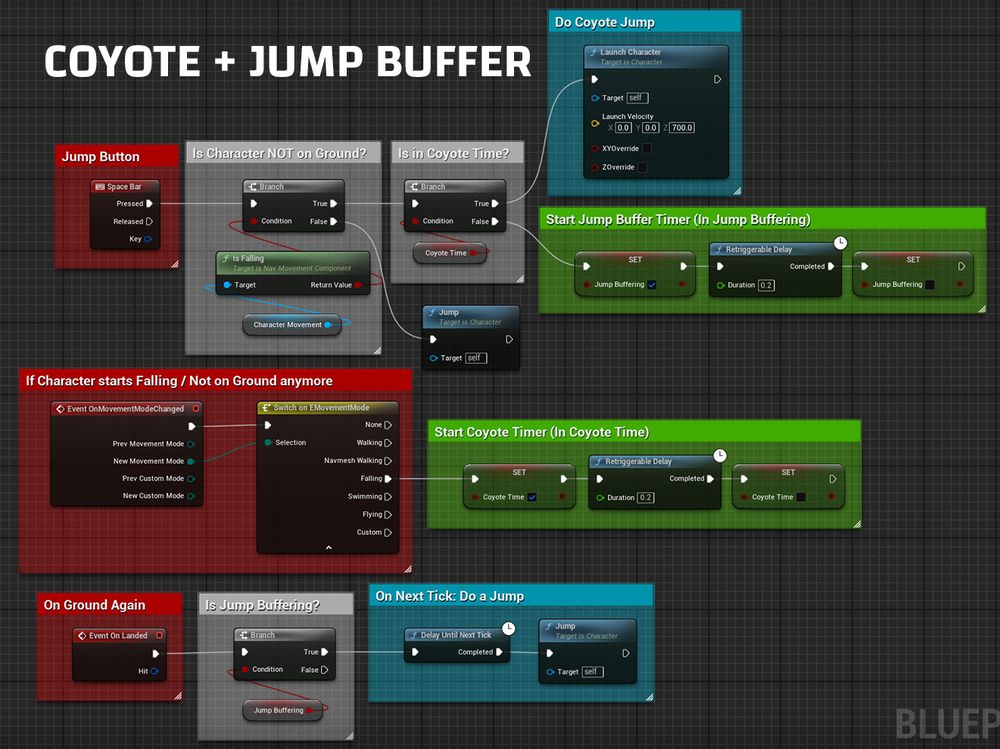
This image shows a visual scripting blueprint for implementing 'Coyote Time' and 'Jump Buffering' in Unreal Engine, allowing a player to jump shortly after leaving the ground and buffer jump inputs. The blueprint is divided into several color-coded sections: Jump Button (Red Box) – Detects when the Space Bar is pressed. Is Character NOT on Ground? (Gray Box) – Uses a branch node to check if the character is falling by referencing the character movement component. Is in Coyote Time? (Gray Box) – Checks if the character is within the 'Coyote Time' window, allowing a jump. Do Coyote Jump (Blue Box) – Executes a jump if conditions are met using the 'Launch Character' node. Start Jump Buffer Timer (Green Box) – Activates a retriggerable delay (0.2 seconds) and sets 'Jump Buffering' to true, allowing the game to store a jump input for a short period. If Character starts Falling / Not on Ground anymore (Red Box) – Uses an 'Event OnMovementModeChanged' node to detect movement mode changes. Start Coyote Timer (Green Box) – Begins a 0.2-second 'Coyote Time' window when the character starts falling. On Ground Again (Gray Box) – Uses an 'Event On Landed' node to check if the player has landed. Is Jump Buffering? (Gray Box) – Uses a branch node to determine if a buffered jump input exists. On Next Tick: Do a Jump (Blue Box) – If jump buffering is active, a 'Delay Until Next Tick' node executes a jump.

This image displays a visual scripting blueprint in Unreal Engine for implementing variable jump height using gravity scaling. The blueprint is divided into multiple color-coded sections: Jump Button (Red Box) – Detects when the Space Bar is pressed or released. Lerp 0 to 1 (Yellow Box) – Uses a timeline node to interpolate values between 0 and 1 over time. Set Jump Gravity after Jump Button Released (Gray Box) – Uses a gate node to control when gravity scaling is applied. Calculated Gravity for Current Jump (Blue Box) – Adjusts the character’s gravity scale in the movement component. Lerp between Higher Gravity and Default Gravity (Green Box) – Uses a lerp node to interpolate between the highest and default gravity scales based on the jump input. On Ground Again (Red Box) – Detects when the player lands using an 'Event On Landed' node. When on Ground: Reset Gravity to Default Value (Blue Box) – Resets the character’s gravity scale to the default when touching the ground.
In the last 1.5 years of working on Umbra's Light, I've learnt a lot about the must-haves for platformer games.
Here I have prepared 3 of the most important features, namely COYOTE TIME, JUMP BUFFERING and VARIABLE JUMP HEIGHT.
Arranged in simple Blueprint snippets:
#unrealengine #indiedev
Love the stylized art 💜
07.02.2025 09:02 — 👍 1 🔁 0 💬 1 📌 0


