You know where this is going...
27.02.2025 16:38 — 👍 7 🔁 0 💬 0 📌 1
Yes. The first notarization took like 6 tries with lots of timeouts. The successful run was 13 hours - now new binaries take few minutes.
23.02.2025 17:25 — 👍 0 🔁 0 💬 1 📌 0
I’ve gone through code signing and notarization successfully with Apple - so that part is also behind.
21.02.2025 20:26 — 👍 1 🔁 0 💬 1 📌 0
I’m at final stages. A lot of bugs fixed and a lot of workflows added. Now it’s about testing and adding/fixing a few nodes. The majority of the work is finally done, which is the engine that is fast and reliable that allows fairly rapid development of new nodes. Finally I can see the light
21.02.2025 20:26 — 👍 6 🔁 0 💬 1 📌 0
Finally got a successful .dmg installer today that is signed by Kinogaki Inc. and notarized by Apple. Which means I was able to install it on my wife’s older Mac and find some visual bugs. The good news - the release is very close, and there is clear path to it.
18.02.2025 05:40 — 👍 5 🔁 0 💬 0 📌 1
Asking how can I do X in Kinogaki vs what can I do in Kinogaki has brought a new level of perspective in me. It does make for a better and more flexible software.
18.02.2025 00:12 — 👍 4 🔁 0 💬 1 📌 0
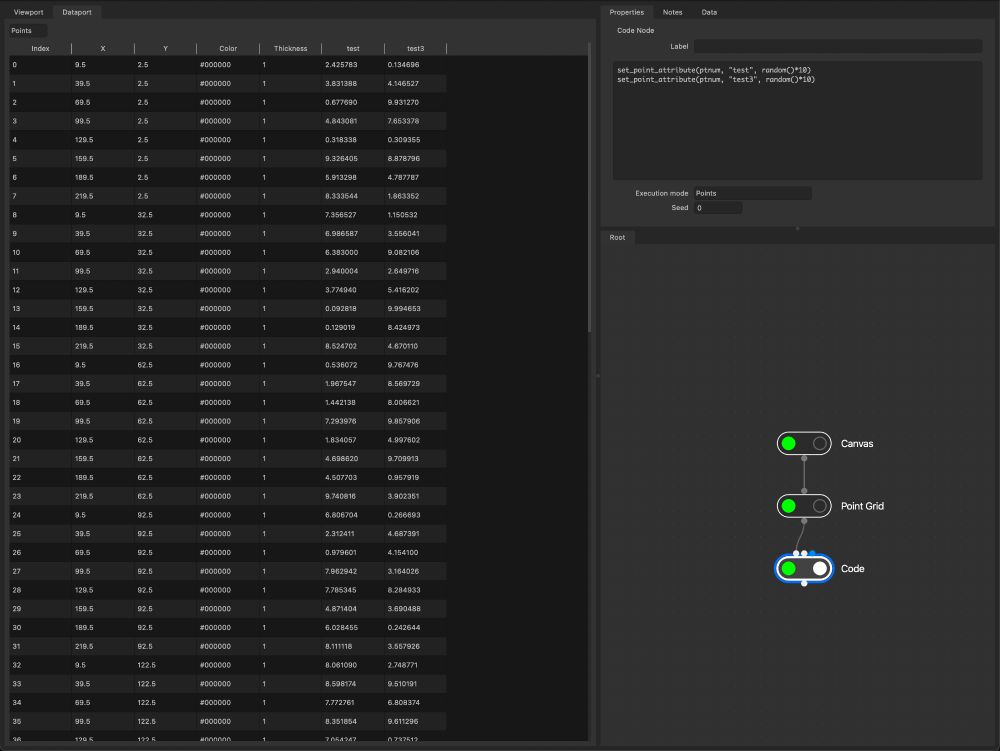
Ability to examine points and custom attributes. Meanwhile I'm trying to make Apple notarization work on Github. Any Windows users that would want a build?
15.02.2025 20:03 — 👍 5 🔁 0 💬 0 📌 0
It's getting really close. Apparently notarization for the Mac app takes several hours, which makes Github Action time out. Putting last touches on the app, and by the time it's done I'll have a clear way of releasing it. Any Windows users?
15.02.2025 17:59 — 👍 5 🔁 0 💬 0 📌 0
Join the Kinogaki Inc Discord Server!
Check out the Kinogaki Inc community on Discord - hang out with 1 other members and enjoy free voice and text chat.
Not sure how active I'll be at first, but will invest more and more time into this as soon as I release the software properly. Anyway here is our official Discord server. I will try to answer questions in asynchronous manner as much as I can.
discord.gg/ZTxYW7AM
13.02.2025 04:23 — 👍 4 🔁 0 💬 0 📌 1
more improvements
12.02.2025 03:46 — 👍 7 🔁 0 💬 0 📌 0
All in the works! I’ll do a Discord + bunch of videos with the next big update.
09.02.2025 15:26 — 👍 2 🔁 0 💬 0 📌 0
Thanks for the feedback. 🙏🏻 I think I may need to do an intro into node based software.
08.02.2025 20:29 — 👍 2 🔁 0 💬 0 📌 0
Some new UI changes in the node editor to show progress for nodes that take long to process (in this case generating millions of lines) and just generally more visual feedback to what's going on. BTW (this is just a tiny crop with line thickness of 0.01mm) If I zoom out - it's just a solid black box
07.02.2025 23:31 — 👍 6 🔁 0 💬 0 📌 1
Finally got DUNS number for Apple Developer account. Hopefully will get certificates to sign the code soon. Meanwhile, I’ve been adding quality of life features, like duplicating nodes, grouping, copy pasting. There are multiple context now - vector, image, field and color with different nodes.
06.02.2025 06:06 — 👍 5 🔁 0 💬 0 📌 1
We’re in San Francisco - so same timezone as Vancouver.
05.02.2025 02:44 — 👍 2 🔁 0 💬 0 📌 0
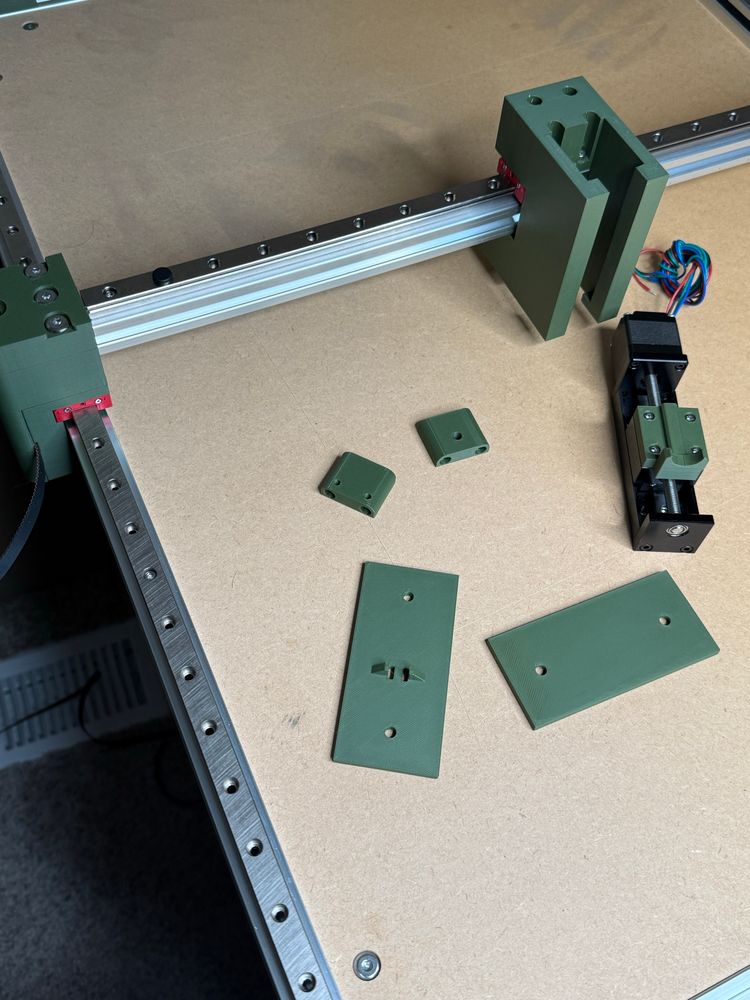
Fitting prototype parts
03.02.2025 16:34 — 👍 3 🔁 0 💬 0 📌 1
Absolutely. There are plans for a whole context to process images and then use them to influence various parameters. Also nodes for color, physics, there are loops. There is also Code node that I’ll record a video on next.
02.02.2025 16:04 — 👍 4 🔁 1 💬 1 📌 0
YouTube video by KINOGAKI
02 - Edit Node
While I'm working on creating installers for Mac and Windows, here is another video that talks a little bit about Edit Node.
youtu.be/-pCTI7Ytpzs
02.02.2025 05:04 — 👍 6 🔁 0 💬 1 📌 1
Rewriting this with OpenGL4.1 totally paid off. I’m able to deal with about few million lines that just makes my canvas into a solid, while having good pan and zoom on a laptop.
31.01.2025 03:31 — 👍 5 🔁 0 💬 0 📌 1
Technical debt is real. Rewriting parts of Kinogaki the right way. I’m really thankful to all the DMs and bug reports. 🙏🏻
30.01.2025 03:05 — 👍 6 🔁 1 💬 0 📌 0
Ahh I get now. That’s a great idea.
28.01.2025 18:10 — 👍 1 🔁 0 💬 0 📌 0
Good suggestions! I’ll make deleting nodes easier. For center and corners, what did you have in mind?
28.01.2025 17:38 — 👍 1 🔁 0 💬 1 📌 0
Ahh interesting. I’ve tried to make it work with Inkscape for plotting. I’ll look into how to make it compatible with Illustrator as well.
28.01.2025 17:37 — 👍 1 🔁 0 💬 0 📌 0
Thank you! Let me know if you’re missing and particular features.
28.01.2025 14:27 — 👍 2 🔁 0 💬 2 📌 0
KINOGAKI
And here is the app itself:
app.kinogaki.com
28.01.2025 04:25 — 👍 4 🔁 0 💬 0 📌 0
Getting Started
Here is the same documentation with few introductory words:
kinogaki.com/docs/getting...
28.01.2025 04:25 — 👍 2 🔁 0 💬 1 📌 0
YouTube video by KINOGAKI
01 - KINOGAKI Quick Intro
The intro video is up and so is the app. Just bear in mind - it's such an early alpha. If you have suggestions or want to chat about it - my dm's are always open. We're also working on desktop app - so stay tuned. But a web version for now.
www.youtube.com/watch?v=t5V5...
28.01.2025 04:25 — 👍 10 🔁 1 💬 3 📌 1
We’re recording a five minute video walk through. It’s amazing how many things we’ve changed while doing a beginner intro video.
28.01.2025 00:26 — 👍 3 🔁 0 💬 0 📌 1
The road to success is paved with obstacles. We’re rewriting some major portion of the app to make it easy to distribute and try out on all kinds of systems.
23.01.2025 05:51 — 👍 4 🔁 0 💬 0 📌 1
New nodes and good progress on shapes, filling and trimming. Also results of the tree can be saved into a file and loaded in another tree, like in this example with the signature.
22.01.2025 05:10 — 👍 6 🔁 0 💬 0 📌 1
Curious artist and enthusiastic penplotter, Paris, France
graphics programmer at apple, corgi enthusiast, ideas guy
developer, artist, z-lover-not-fighter
https://linktr.ee/fraguada
Data Visualization & Creative Coding enthusiast. Ex-DellEMC, ex-Siemens. MSc, Electrical and Computer Engineering. 🐶Welsh Corgi ❤️🎼🌊📷
Blog: http://lbarqueira.github.io/
Generative artist | prints https://pb67art.darkroom.com | books https://www.blurb.com/user/paolob_67 | Website https://www.pb67art.com
DIGITAL ART since 1995: http://liaworks.com + NFTs: http://liaworks.com/nfts + foodblog: http://vegetaria.at | all social: @liasomething
"the woman, the myth, the legend, OG"
Audiovisual artist / Creative coder
website: https://darienbrito.com/
ig: https://www.instagram.com/darien.brito/
📊 Data visualisation specialist.
💻 #RStats | #Python | #D3.
🎨 Generative artist.
🏃♀️ Runner.
Website: https://nrennie.rbind.io/
She/her. Views my own.
Retired software engineer. Now I write programs to make art and, lately, make art with words.
Will natter on about tech in general with forays into linguistics […]
🌉 bridged from ⁂ https://mastodon.social/@mathling, follow @ap.brid.gy to interact
patternbloom.com
Unleash your inner artist: explore, color, and transform free geometric prints into stunning custom designs
All the designs are created using generative art by @elenatorro.bsky.social
Mathematical artist making the abstract visible;
mathematics and computer science professor.
http://drMathArt.com
#mathart #mathsart #generativeart #creativecoding
generative artist and prof, data visualization developer, identity-challenged
dataviz: https://do.minik.us
art: https://dominikus.art
Obscure through brevity
#geometry #art #design
www.submillimetre.com
Mexican software engineer, creative technologist, educator, and new media artist currently living and working in NYC.
Brazilian, Professor, Researcher, Data Scientist, Mathematician and Multimedia Artist
making art somewhere between generative and traditional.
Im into plotting, coding, drawing, and just making cool shit in general. I mostly make things I like to look at, probably should get better at making stuff others like to see. robhouston.net
a boy and his gpu vs the world. cofounder/directing research at
@leonardoai_. (now at @canva) trying to feel the magic.
www.ethansmith2000.com
Official account of the C Programming Language, invented by Immanuel Kant in 1799 at Bell Labs Königsberg